
Resources

The checklists we use in scoping.

These are the working documents behind our discovery sessions, published in full. Use them with us or without us — they are equally useful for evaluating another supplier.

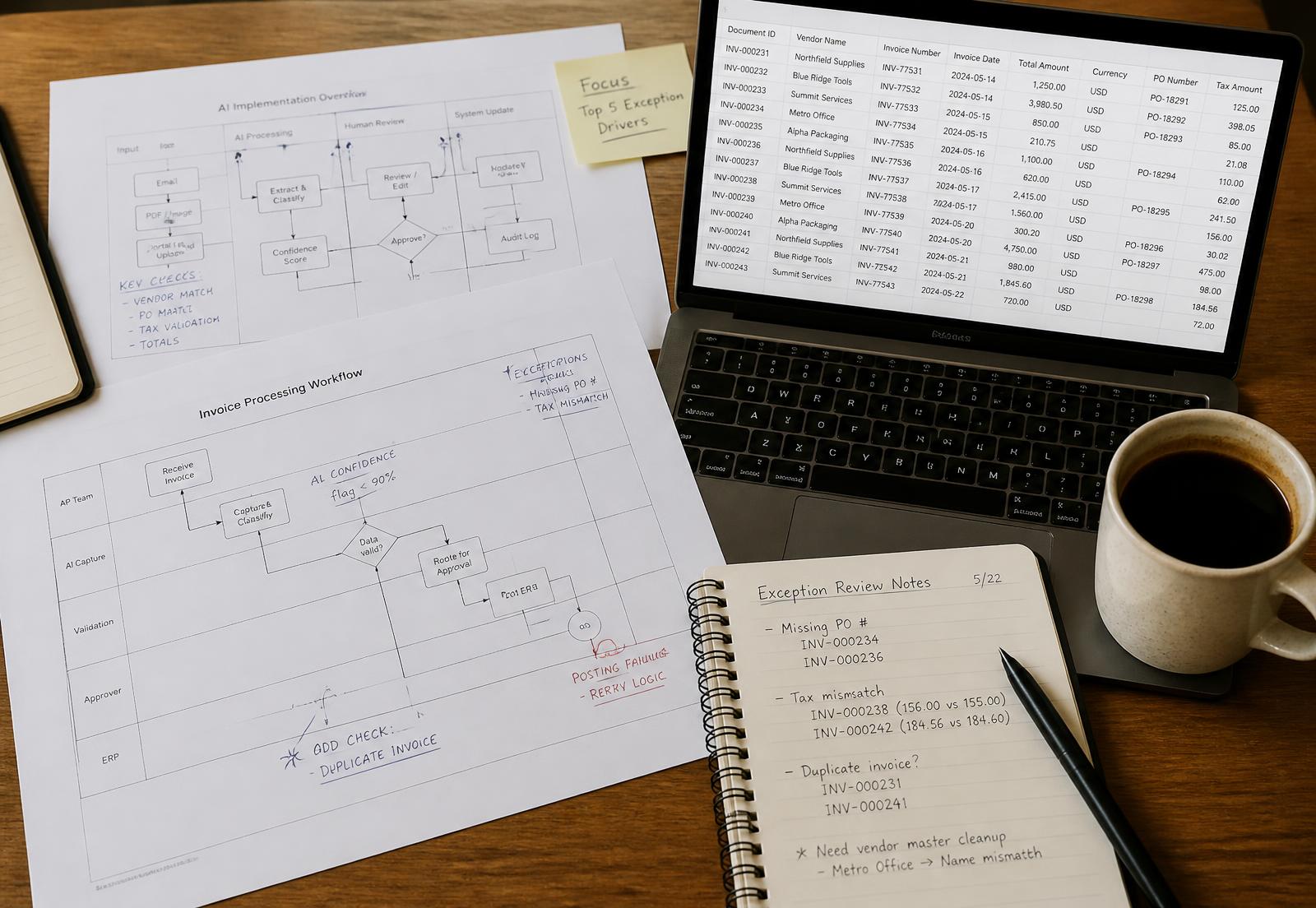
Annotated workflow diagrams, an extracted-field table and handwritten exception notes on a desk

Is this process ready for AI assistance?

Run this before you scope anything. If you answer no to three or more, fix the process first — automation will only make the gaps run faster.

  • The task happens at least weekly and follows a describable set of steps.
  • Someone can state what a correct output looks like, in one sentence.
  • The information the task needs already exists in writing somewhere.
  • The inputs arrive in a small number of predictable formats.
  • There is a named person who can approve outputs and answer questions.
  • The cost of an error is recoverable and detectable, not silent.
  • You can supply 20–50 real past examples, including the awkward ones.
  • Nobody's job is defined solely by this task, or that has been addressed openly.

Data handling questions to ask before any workflow validation

Ask these of any vendor, including us. Answers should be specific and written into the scope of work, not described verbally.

  • Which exact data fields will the workflow read, and which are excluded?
  • Where is the data processed and where is it stored?
  • How long is it retained, and what is the deletion route?
  • Who — by role, not by name — can see inputs, outputs and logs?
  • Is our data used to train any model? If so, can that be switched off in writing?
  • What is logged for each decision, and can we export the log?
  • What happens to our configuration and data if the engagement ends?
  • Which subprocessors are involved, and where are they located?

Setting a confidence threshold that people trust

Thresholds are a business decision, not a technical one. Decide them with the team who owns the consequences.

  • Define the two failure modes separately: a wrong output accepted, and a correct output sent for review.
  • Estimate the cost of each one in time, money and client trust.
  • Start conservative: send more items to review than you think necessary in week one.
  • Review the queue weekly for the first month, then monthly.
  • Record every threshold change with a date, a reason and an owner.
  • Track the review rate as a number the team sees, not a hidden setting.
  • Never lower a threshold to hit a volume target without recording the decision.

A workable internal AI use policy, in one page

Most staff will use AI tools whether or not a policy exists. A short, specific policy is followed; a long one is not.

  • List the tools that are approved, and say plainly that others are not.
  • Name the data categories that must never be pasted into any external tool.
  • State that the person who sends the output is responsible for it.
  • Require AI-assisted client-facing content to be reviewed before it is sent.
  • Give one route for requesting a new tool, with a named approver.
  • Say what to do after a mistake, and make reporting one blameless.
  • Review the policy quarterly and date every version.
Two colleagues reviewing an exception queue together on a monitor in a UAE office
How these are used

Every checklist here is worked through with your team, not sent as a PDF.

The readiness checklist is the agenda for the first session; the data-handling questions become clauses in the scope of work.

Field notes

Things we repeat in most first meetings.

Why the second workflow is cheaper than the first

Most of the effort in a first implementation is not configuration. It is agreeing definitions, access, thresholds and review responsibilities. Once those exist, a second workflow reuses the governance work and typically involves a fraction of the scoping time.

Workflow validations fail on exceptions, not on accuracy

Teams usually measure how often the workflow is right. The number that decides adoption is how long an exception takes to clear. If a flagged item takes longer to review than it did to handle manually, people route around the workflow.

Scope one document type, not one department

A single document type with a defined field set can be specified, tested and handed over. A department contains a dozen implicit processes that nobody has written down, and the project time goes into discovering them.

What UAE businesses ask us about most

Arabic and English handling in the same workflow, where data is stored, VAT treatment on fixed-price services, and whether staff need to change the systems they already use. The last answer is usually no — the workflow sits around the existing tools.

Want these applied to one of your processes?

A workflow consultation works through the readiness checklist on a real process and ends with a written view on whether it is worth automating.